


Read, write, and convert in one app
md Reader AIO is a Markdown reader and editor: open the md files in a folder, see the preview as you write, and export to Word (.docx), HTML, PDF, or a mindmap. AIO stands for All-in-One.
Export as soon as you finish writing; the app lays out the tables and formatting for you. The Windows version comes first.
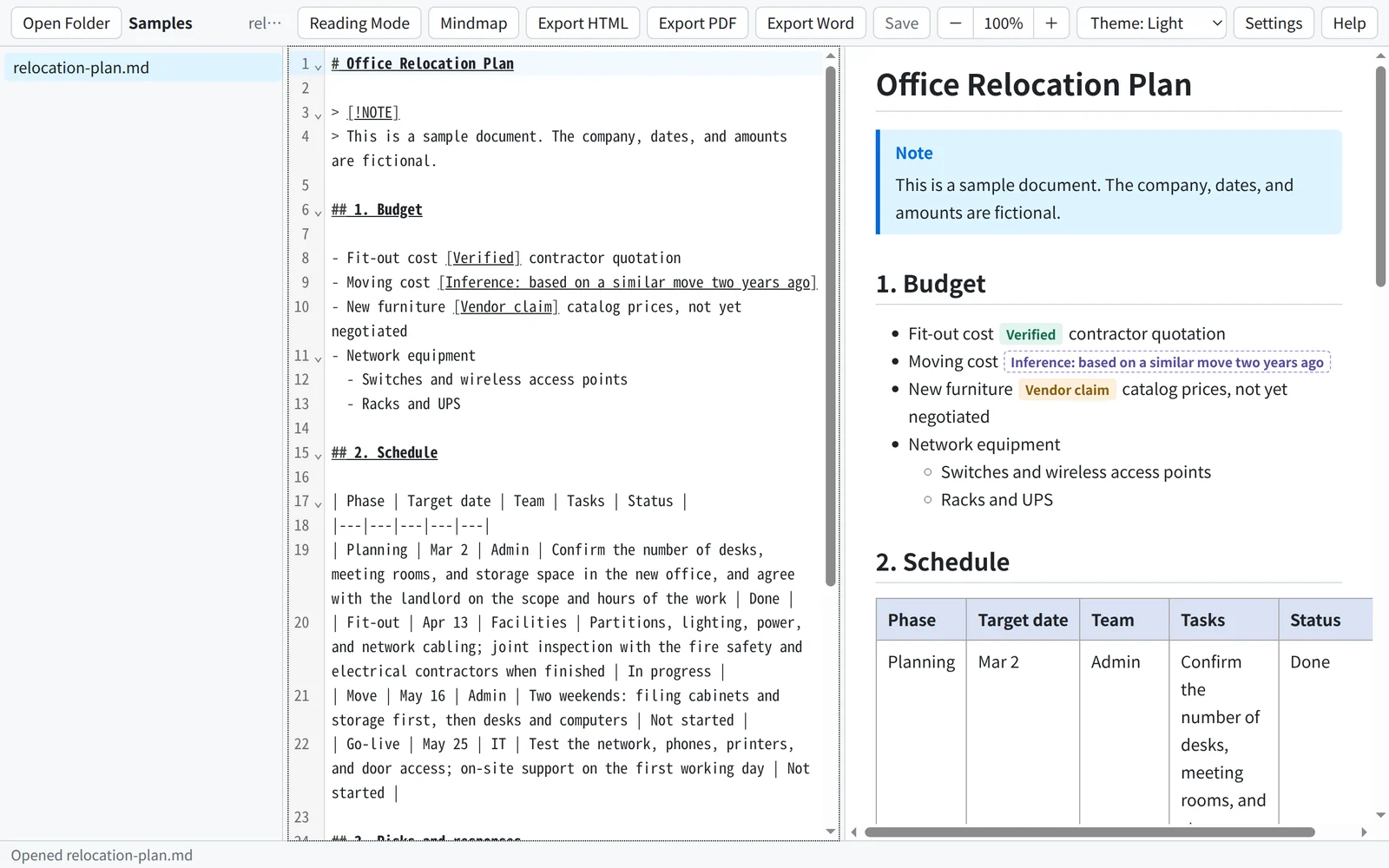
Word export with well-arranged tables
When you export to Word format (.docx), the layout is arranged automatically, with special care for readable tables:
- Column widths follow the contentColumns with longer text get more room; short fields such as dates and IDs are not squeezed onto two lines.
- Wide tables go landscapeTables with many columns are placed on landscape pages, and header rows repeat when a table spans pages.
- Easy-to-read tablesBold, shaded header rows, gridlines, and banded rows.
- Formatting carried overAlert blocks, labels, and code stay in color; math becomes editable equations; footnotes appear at the bottom of the page.
No other software needs to be installed for the export.
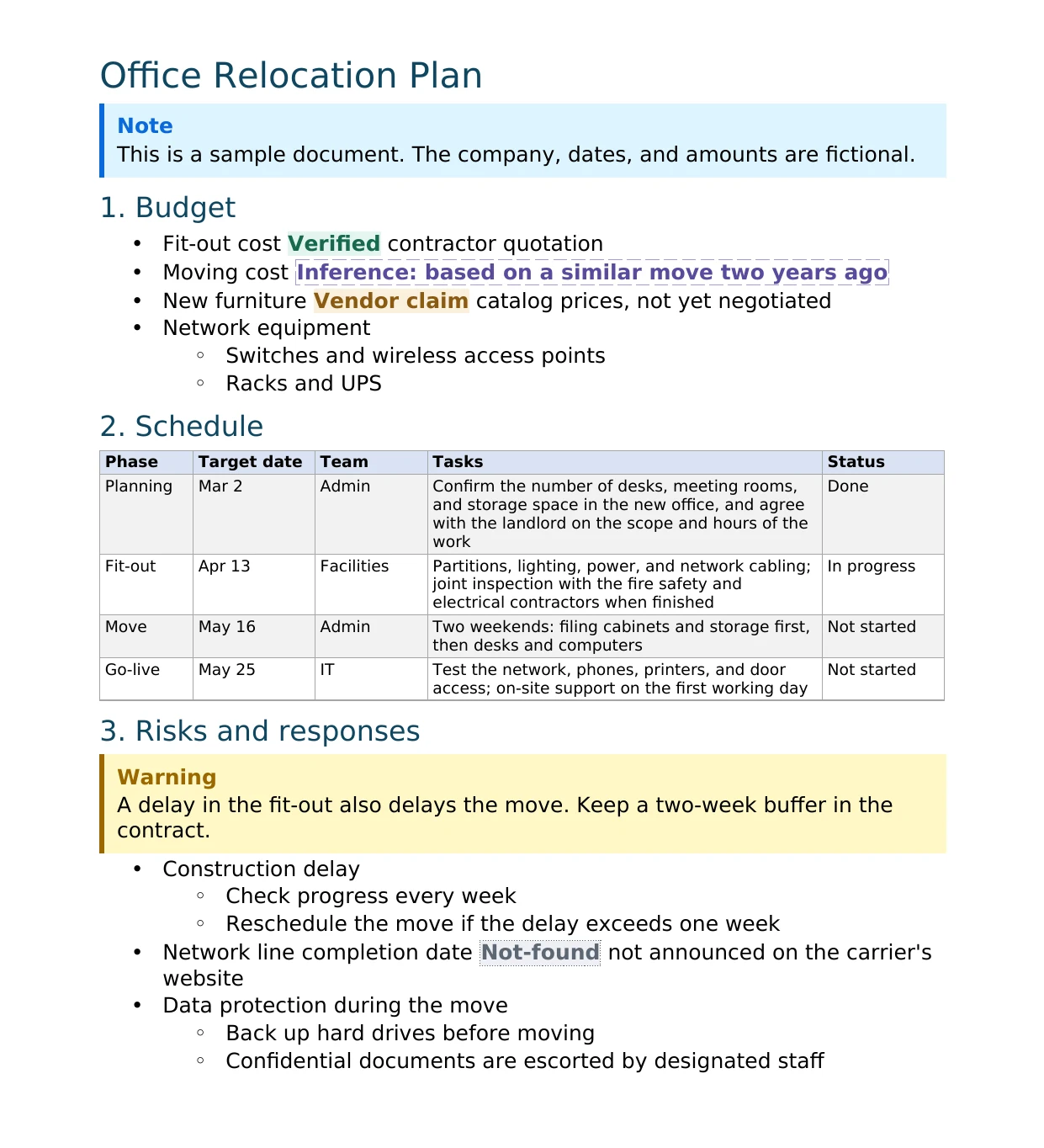
Light and dark themes
Choose Light, Dark, or follow the Windows setting. The editor, preview, Reading Mode, and mindmap all switch together.
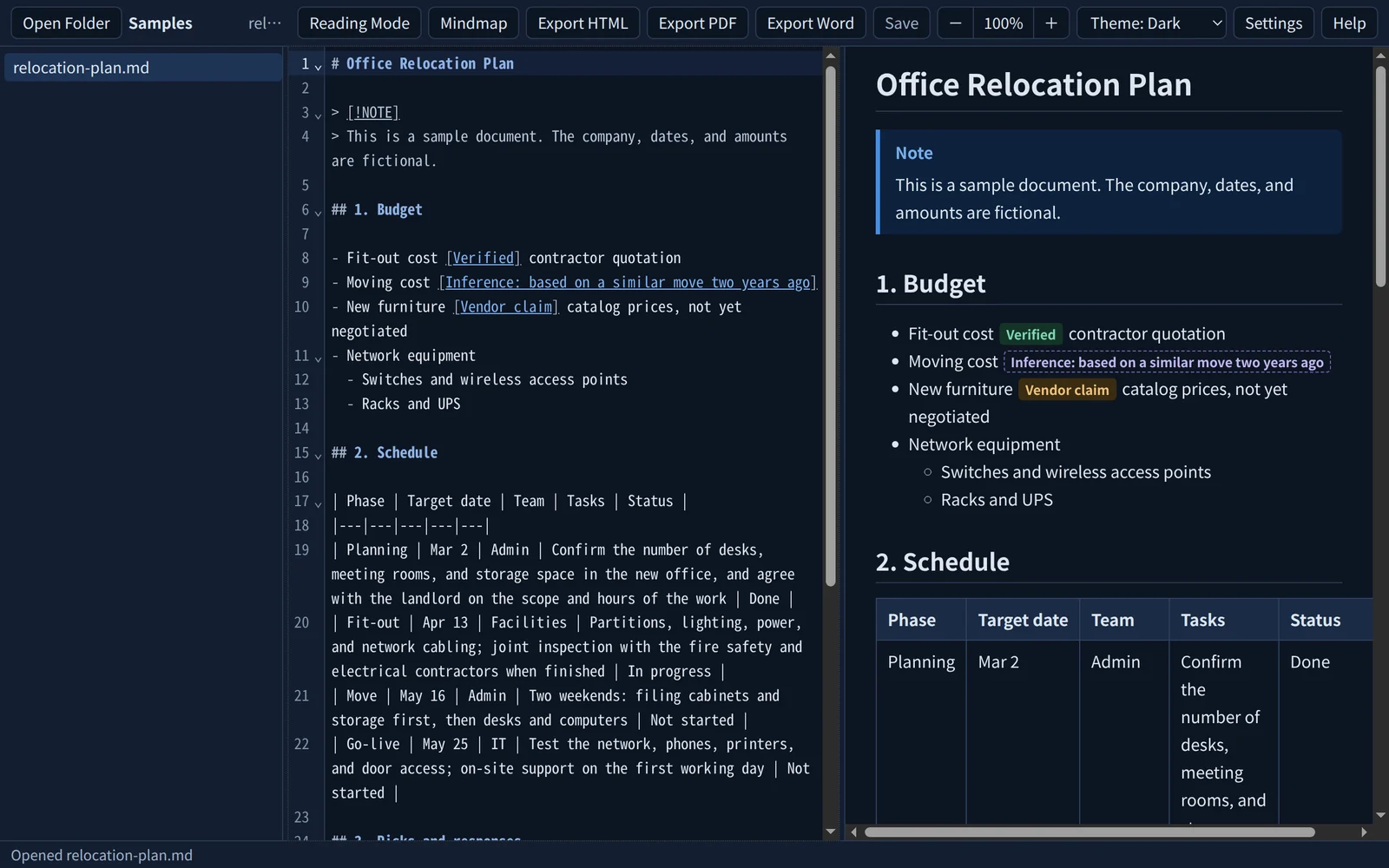
Colored labels that stand out
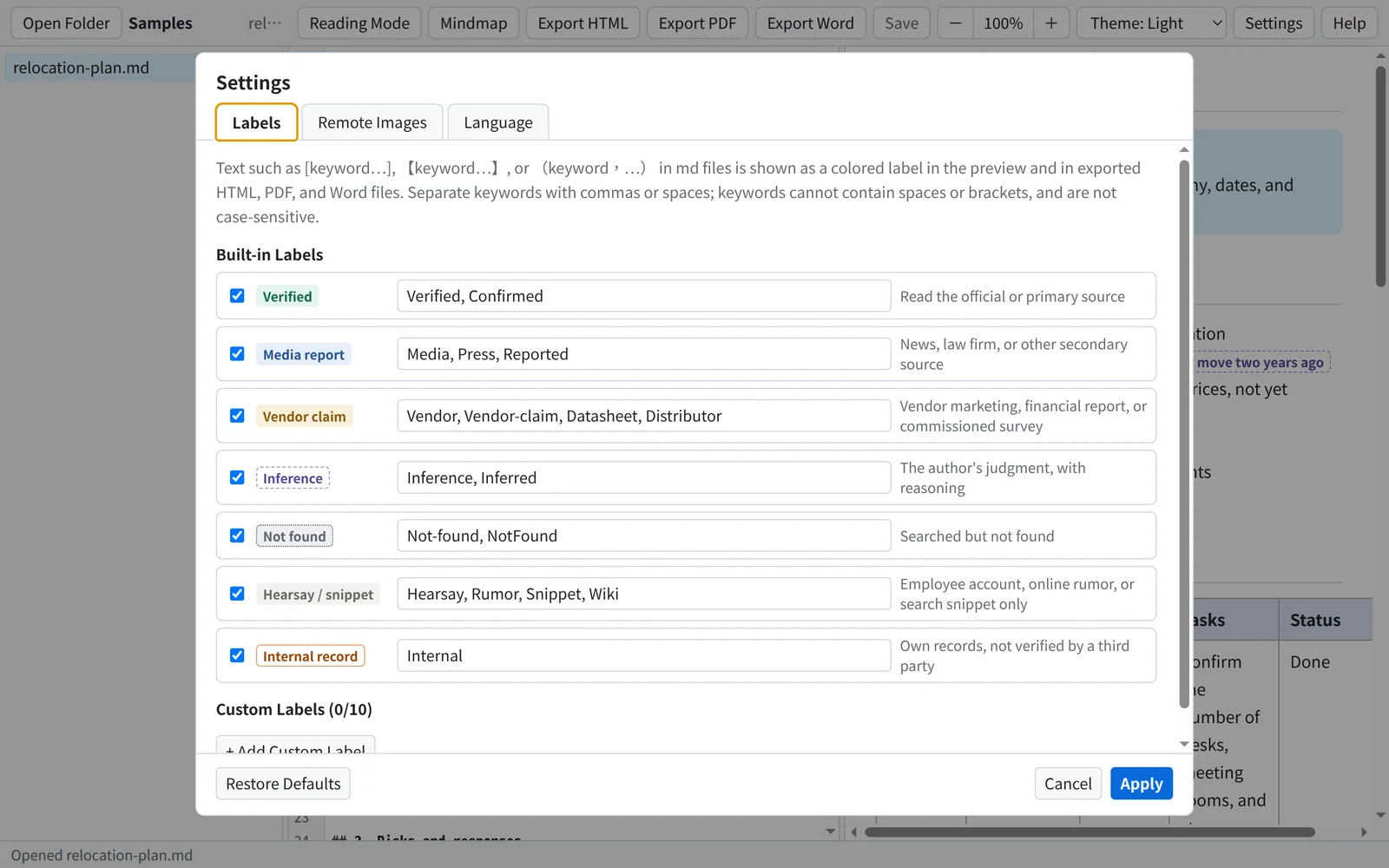
Write labels such as [Verified], [Inference: …], or [Vendor claim] in your document, and they are shown as colored tags, so you can see at a glance how each statement is supported.
- 7 built-in labelsVerified, Media report, Vendor claim, Inference, Not found, Hearsay / snippet, and Internal record.
- CustomizableChange the keywords of each label, or add up to 10 custom labels with their own name, description, color, and background or border.
- Colors kept in exportsLabels are in color in the preview, Reading Mode, and exported HTML, PDF, and Word files; Reading Mode and the Report-style HTML list the labels used and what they mean.
Turn your document into a mindmap
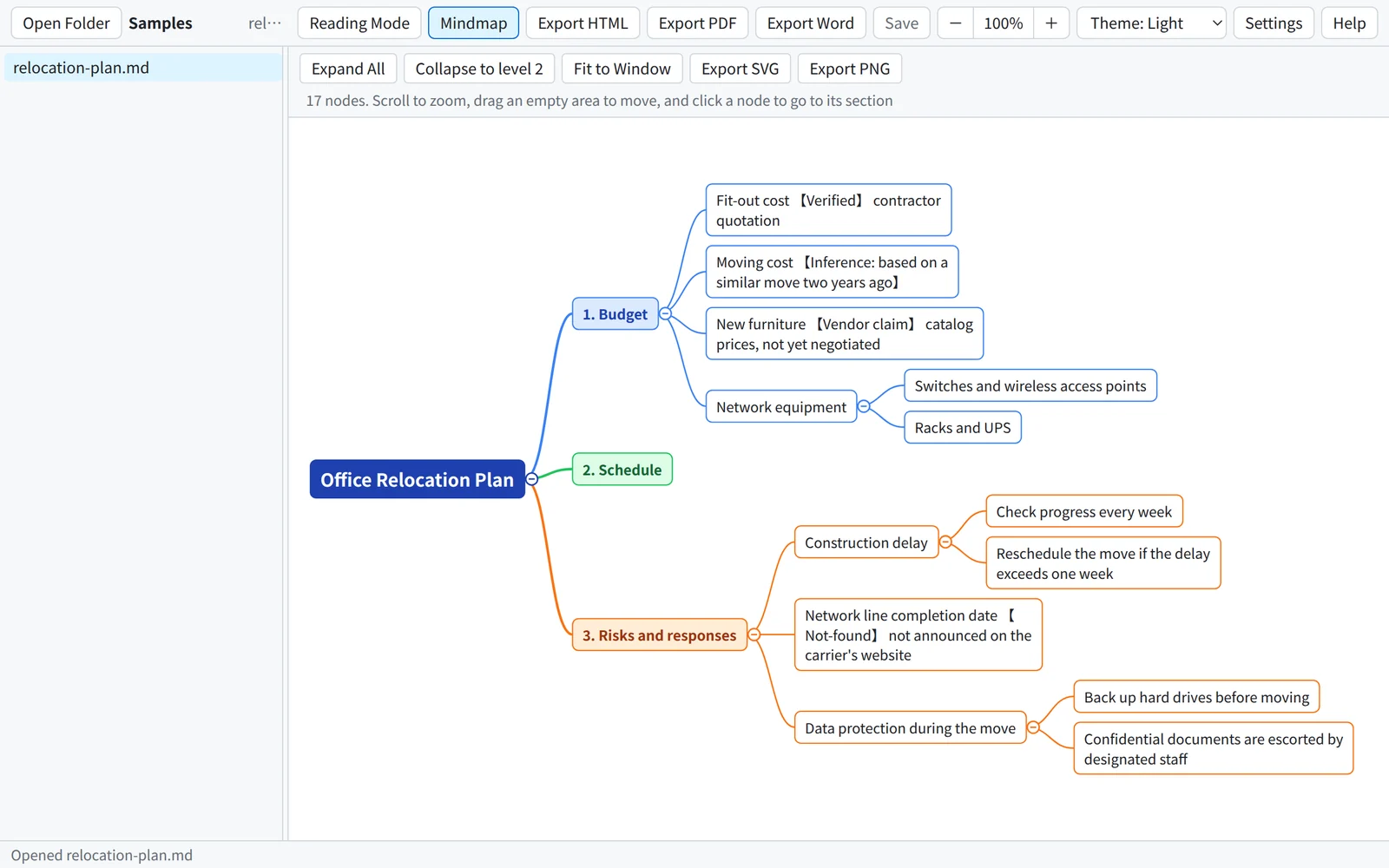
Click Mindmap to turn the headings and lists of your document into a mindmap. Click the text of a node to jump to that part of the document in the editor.
- ExploreExpand, collapse, zoom with the mouse wheel, drag to move, and fit to window.
- Export SVG and PNGSave the mindmap as an image for slides or other documents.
More features
- Export HTML and PDFHTML is a single file that includes the images and math fonts, ready to send to others, with a Report or Standard layout; PDF is A4 size.
- Four display languages繁體中文, 简体中文, English, and 日本語. The fixed text in exported files and the fonts and language of Word files can be set separately.
- Full previewTables, alert blocks, math, diagrams such as flowcharts, footnotes, syntax-highlighted code, and task lists.
- Reading ModeHides the editor and shows a report layout made for reading: a title area, a table of contents on the left, and a list of labels.
- Protection for unsaved changesYour unsaved changes are kept about 2 seconds after you stop typing; if the app crashes or the computer shuts down unexpectedly, you can recover them the next time you start the app.
- Your documents stay on your computerThe app does not upload your documents or collect usage data. It goes online only when you agree to load remote images.
Specifications
| Operating system | Windows (64-bit). A macOS version is planned. |
|---|---|
| Display languages | 繁體中文, 简体中文, English, 日本語 |
| Files opened | Markdown (.md) |
| Export formats | Word (.docx), HTML, PDF; mindmap: SVG, PNG |
| Network | Not required (except for loading remote images, which needs your consent) |
Pricing and purchase details coming soon
We are preparing md Reader AIO for release. Pricing, how to buy, and the related terms will be published on this page once they are final.
- PriceTo be announced
- Terms of useTo be published before release
- Refund policyTo be published before release
- Privacy policyTo be published before release
To learn more, email us: sales@zeyuud.com