

Why Choose Ze Yu MCU?
In an era where cloud-based video conferencing has become the norm, Google Meet, Zoom, and Microsoft Teams undeniably bring convenience to everyday business. However, for government agencies, defense organizations, financial institutions, healthcare providers, and any organization that places a premium on information security, entrusting confidential meeting content to overseas public cloud servers remains an unacceptable risk.
The design philosophy behind Ze Yu MCU is simple: "Your meeting should take place on your home turf."
We have built more than just video conferencing software — we have created a fully on-premises enterprise-grade Multipoint Control Unit (MCU). From audio/video encoding and decoding, signaling transport, to meeting management, every component runs within your own data center. No monthly fees, no per-user charges, no risk of data leakage — just a secure communications infrastructure that is entirely yours.
Four Core Advantages
From architecture design to feature implementation, Ze Yu MCU is purpose-built for enterprise-grade security and performance:
On-Premises Deployment Absolute Control
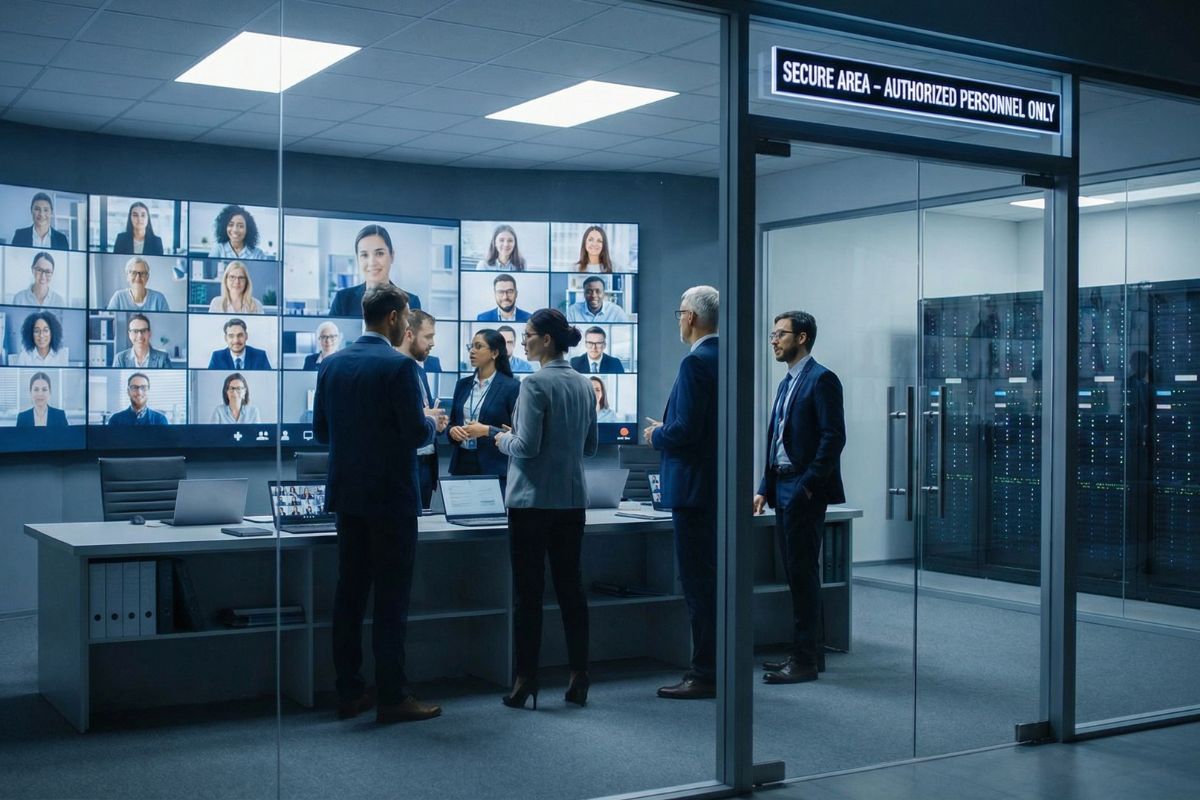
Data sovereignty in your hands: The entire system is deployed within your own data center or designated private cloud. All audio/video streams, meeting records, and user data never pass through any third-party server, fully complying with information security regulations such as the Cyber Security Management Act.
Zero monthly subscription model: One-time deployment with no recurring per-user fees. Whether 50 or 500 users, costs do not scale with headcount. Long-term TCO (Total Cost of Ownership) is significantly lower than cloud subscription-based solutions.
GPU Hardware Acceleration Ultimate Performance
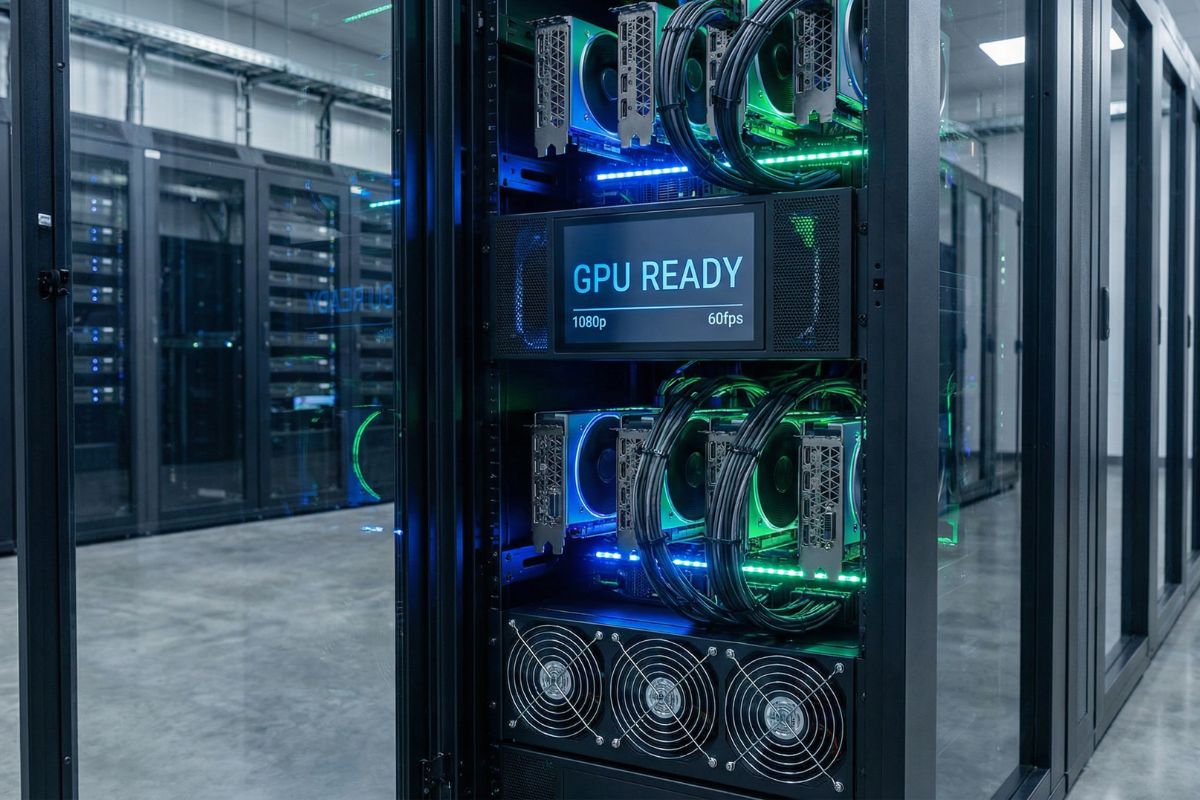
GPU-Ready architecture: Natively supports NVIDIA GPU hardware encoding and decoding. Using an RTX 3090 as an example, a single GPU can simultaneously process real-time transcoding and compositing of dozens of 1080p video streams — over 10 times the performance of a CPU-only approach.
Full HD 1080p / 60fps: True 1920×1080 resolution at a smooth 60fps frame rate ensures crisp, sharp presentation text and artifact-free motion. Through H.264 hardware encoding and zero-latency tuning, end-to-end latency is kept at the millisecond level.
Three-Protocol Interoperability
Maximum Compatibility
WebRTC — Zero-install meeting access: Participants simply open a link in their browser (Chrome, Edge, Safari) to join a meeting — no plugins or client software required.
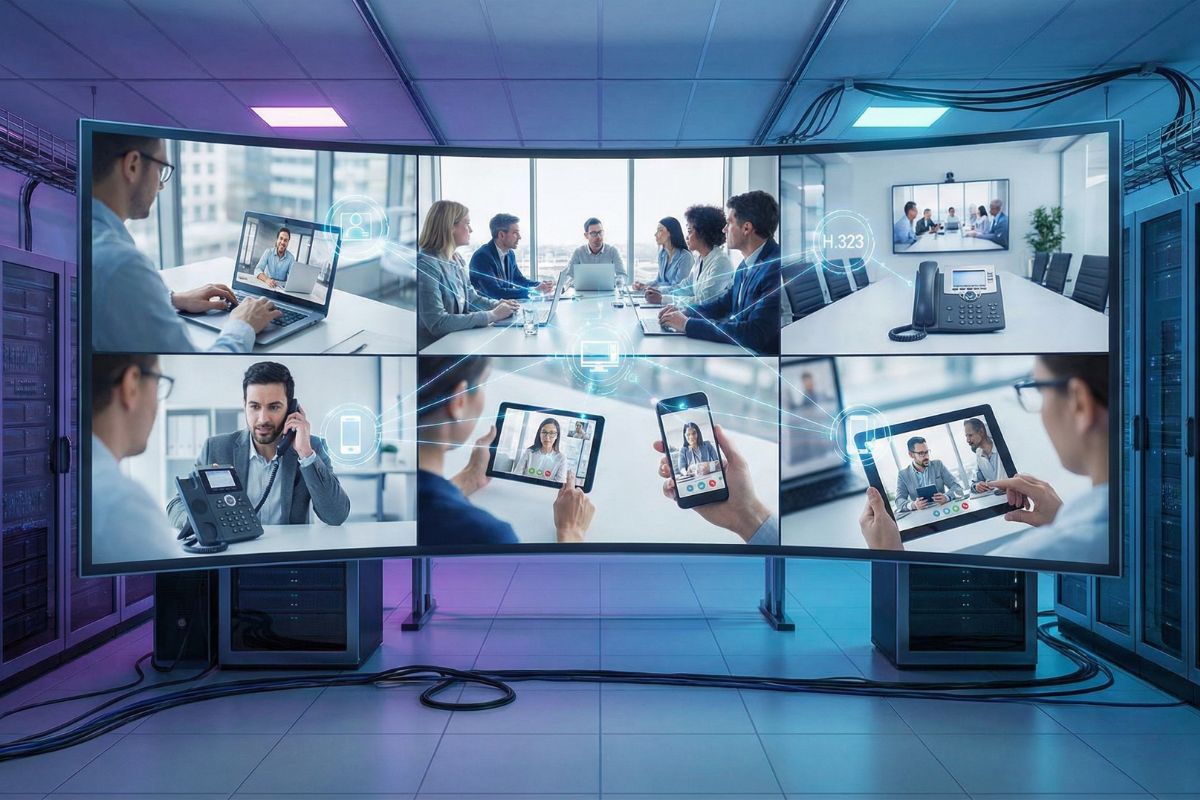
SIP — Enterprise communications integration: Full SIP protocol support enables seamless integration with your existing IP-PBX and SIP phones, embedding video conferencing into your established Unified Communications (UC) infrastructure.
H.323 — Protect your existing investment: Full H.323 protocol support means your organization's existing Polycom, Cisco, Lifesize, and other legacy video conferencing endpoints can connect directly to the next-generation MCU without replacement.
Containerized Architecture Elastic Scalability
Docker microservices deployment: The media engine, WebRTC gateway, H.323 gateway, management console, and other modules are each independently containerized, allowing elastic scaling of resources based on workload — dramatically improving operational efficiency.
Rapid provisioning and upgrades: The fully containerized architecture reduces system deployment from days to hours. Version upgrades require only swapping the corresponding container image without affecting other running services, enabling truly zero-downtime maintenance.
Measured Single-Server Performance
All figures below are measured results from end-to-end tests with simulated users on a single server in September 2026 — not theoretical values.
Test server: AMD Ryzen 9 7900X · 64 GB RAM · NVIDIA RTX 3090. Actual capacity depends on meeting type, resolution and hardware; we are happy to size a configuration for your needs.
Exclusive Feature: Smart Seat Assignment
This is one of the most differentiating features of Ze Yu MCU, and a capability that the vast majority of MCU products on the market lack — "Pre-plan video screen layouts and participant seating when scheduling a meeting."
Visual Layout Selection
When scheduling a meeting, the host can choose from multiple layout templates to select the most suitable screen arrangement: 3×3 layout (up to 6 participants), 4×4 balanced layout (up to 13 participants), 5×5 large meeting (up to 17 participants), 6×6 extra-large meeting (up to 21 participants). Each layout is presented in an intuitive visual format for instant comprehension.
Drag-and-Drop Seat Assignment
Just Like Arranging Physical Seats
After selecting a layout, the host can intuitively drag and drop each participant into their designated screen position. It works just like arranging seats in a physical conference room — the chairperson occupies the primary screen, while other participants are arranged by rank or department in their assigned positions.
Instant Attendance at a Glance
Empty Seat = Absent
This feature is especially valuable for recurring meetings with fixed participants (such as weekly executive meetings, departmental briefings, or cross-unit coordination sessions). When each participant has a fixed screen position, a manager entering the meeting room only needs one glance at the screen — any empty position instantly reveals who has not yet joined. Just like walking into a physical conference room and spotting empty chairs to know who is missing, without the need for roll call.
Save Presets for Repeated Use
Seat assignments can be saved alongside meeting settings. For regularly scheduled recurring meetings, you only need to configure the layout once — every subsequent session automatically applies the same screen configuration and participant positions, delivering a truly "zero-setup" meeting experience.
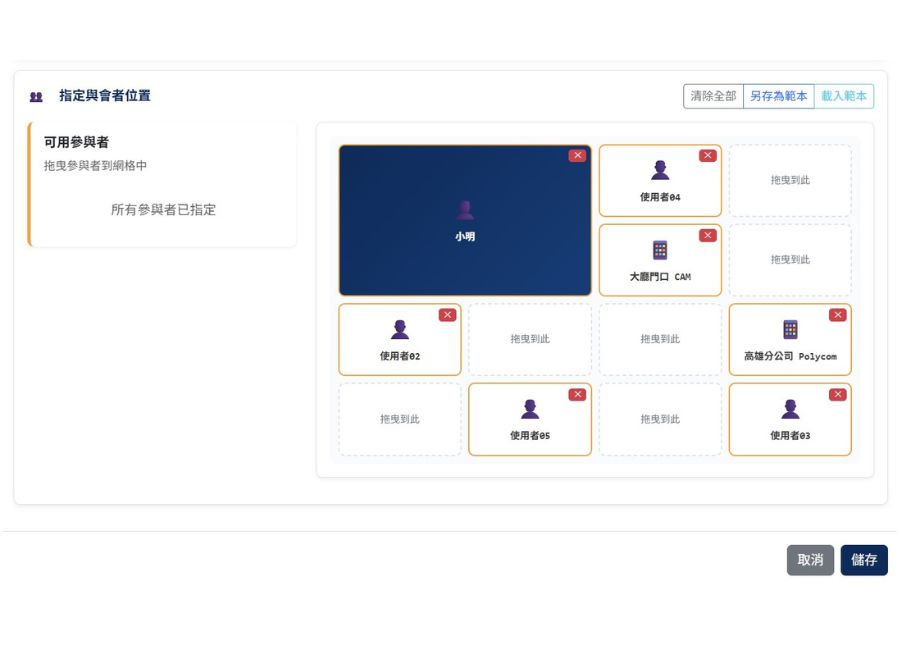
Smart Seat Assignment brings the "assigned seating" experience of a physical conference room to video meetings — an exclusive, human-centered feature developed by Ze Yu.
- Multiple layout templates: 3×3 / 4×4 / 5×5 / 6×6
- Host occupies the primary screen; other participants are freely arranged
- Intuitive drag-and-drop operation, as simple as arranging physical seats
- Empty seat = absent — instant attendance visibility without roll call
- Configurations saved with meetings; zero-setup for recurring sessions
Use Cases
From classified government meetings to multinational corporate presentations, Ze Yu MCU delivers the ideal solution for every scenario.

Government Agencies
& Defense
Classified meetings strictly prohibit the use of public cloud services. Ze Yu MCU is fully deployed on-premises within government data centers — audio and video data never leave the internal network, fully complying with the Cyber Security Management Act. Supports multipoint video dispatch, scrolling marquee announcements, meeting recording, and other essential command center capabilities.

Financial Services / Healthcare
For financial trading decisions, credit assessment meetings, and telemedicine consultations, the cost of data leakage is severe. The MCU's on-premises architecture, combined with comprehensive role-based access control and audit logging, ensures every communication is fully traceable — meeting compliance requirements from the Financial Supervisory Commission and the Ministry of Health and Welfare.

Large Enterprises
& Multinational Groups
For enterprises with hundreds of offices and thousands of employees, long-term cloud video subscription costs can be staggering. Ze Yu MCU is a one-time deployment for lifetime use. H.323 compatibility ensures existing video equipment connects seamlessly, while WebRTC allows traveling employees to join meetings directly from a browser — dramatically reducing IT overhead.
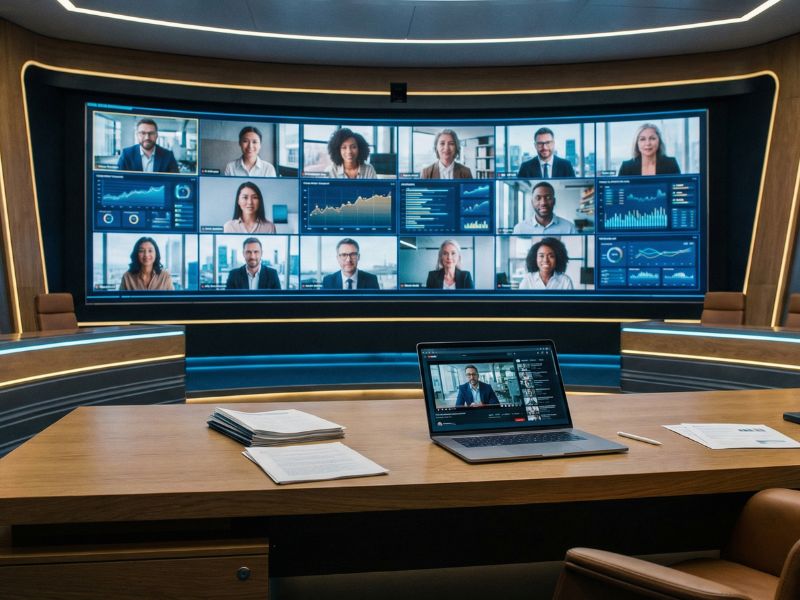
Ze Yu MCU delivers truly secure and high-performance video conferencing infrastructure through on-premises deployment, GPU acceleration, multi-protocol interoperability, and containerized architecture.
- Fully on-premises — data never leaves your data center
- GPU hardware acceleration — 1080p / 60fps premium video quality
- WebRTC + SIP + H.323 — seamless three-protocol interoperability
- Containerized microservices — elastic scaling with zero downtime
- Web management console + desktop client — dual interface
- Comprehensive role-based access control and audit logging
Ze Yu MCU vs. Cloud Video Solutions
Ze Yu MCU does not directly compete with Google Meet, Zoom, or Microsoft Teams — it serves a fundamentally different level of security requirements. Here are the key differences:
| Comparison | Ze Yu MCU | Google Meet / Zoom / Teams |
|---|---|---|
| Deployment | On-premises (your data center / private cloud) |
Public cloud (SaaS) |
| Data Sovereignty | 100% self-controlled, data stays in-country |
Data stored on overseas servers |
| Max Video Quality | 1920×1080 / 60fps (GPU accelerated) | Dynamically downgraded based on bandwidth |
| H.323 Protocol Support | ✓ Full native support | ✗ Not supported |
| SIP Protocol Support | ✓ Full SIP protocol | ✗ Limited or add-on required |
| WebRTC Support | ✓ Direct browser connection | ✓ Supported |
| GPU Hardware Acceleration | ✓ NVIDIA GPU encoding/decoding | ✗ Not applicable |
| Customizability | Fully customizable (UI, workflows, API integration) |
Limited to plan features |
| Pricing Model | One-time deployment, no monthly fees | Per-user monthly subscription, ongoing costs |
| Target Customers | Government, defense, finance, large enterprises |
General businesses, individual users |
| Security Compliance | Meets domestic cybersecurity regulations, auditable | Requires additional compliance assessment |
| Seat Assignment / Layout | ✓ Drag-and-drop seating, empty seat = absent |
✗ Fixed seating not supported |
| Legacy Device Compatibility | ✓ H.323 / SIP devices connect directly | ✗ Full replacement required |
MCU FAQ
The most fundamental difference is "data sovereignty." Google Meet, Zoom, and Teams are public cloud SaaS services — your meeting audio/video streams and recordings are stored on third-party servers overseas. Ze Yu MCU is fully deployed on-premises, installed in your own data center, and all data is kept from start to finish without ever passing through any external server. Additionally, the MCU natively supports H.323 and SIP protocols, enabling integration with your existing video equipment and IP phone systems — a capability that public cloud solutions simply cannot provide.
Ze Yu MCU supports various video layout templates, from 1×1 to a maximum 6×6 composite display. The number of participants in a single meeting depends on server hardware specifications (CPU, GPU, memory). With a standard configuration featuring an NVIDIA GPU, a single server can reliably handle real-time compositing of dozens of 1080p video streams. For larger-scale deployments, the containerized architecture enables horizontal scaling.
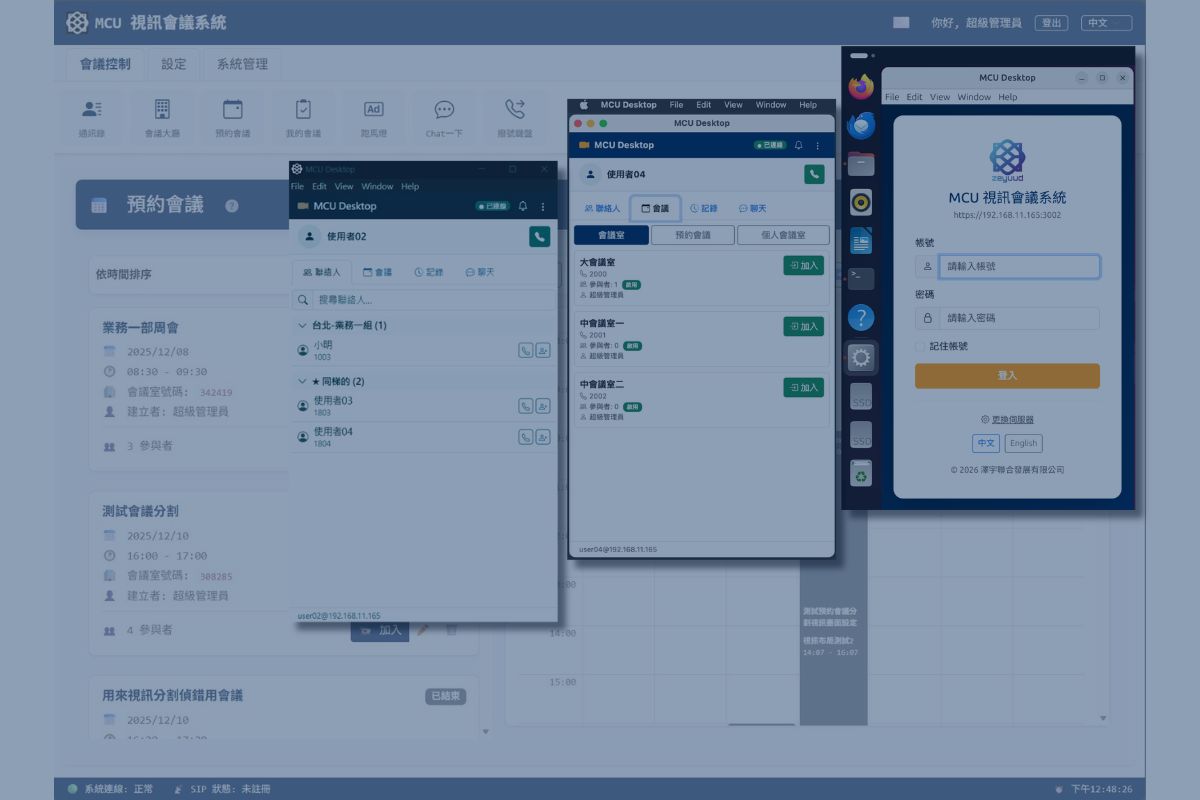
No. Ze Yu MCU supports WebRTC technology, allowing participants to join by simply opening the meeting link in any major browser (Chrome, Edge, Safari, Firefox) — completely installation-free. Additionally, we offer the Ze Yu MCU Desktop client (supporting Windows, macOS, and Linux), which provides richer control features such as independent video windows and advanced meeting management. Both methods can be used in parallel.
Absolutely. This is one of Ze Yu MCU's core advantages. Our built-in H.323 gateway supports H.225 call signaling and H.245 media negotiation. Your existing Polycom, Cisco, Lifesize, and Huawei H.323 video endpoints simply need to point their H.323 Gatekeeper to the MCU to dial into meeting rooms directly. No equipment needs to be retired, protecting your past investment of potentially millions in hardware.
The greatest benefit of GPU acceleration is dramatically increased performance and enhanced video quality. In MCU meetings, the server must mix multiple video streams into a single composite image in real time — an extremely computation-intensive task. Using NVIDIA GPU hardware encoders/decoders offloads this work from the CPU to the GPU, significantly reducing latency and supporting more simultaneous participants.
The system works perfectly without a GPU — it automatically falls back to CPU software encoding. However, for large-scale meetings (e.g., 9 or more simultaneous 1080p streams), the advantage of GPU acceleration becomes very significant. We recommend selecting the appropriate hardware configuration based on your expected usage scale.
Thanks to the fully containerized architecture, standard deployment can be completed in 1-2 business days once hardware is ready. Minimum hardware requirements include a Linux server (Ubuntu 22.04 LTS or later recommended), with 8+ CPU cores and 32GB+ memory. For GPU acceleration, an NVIDIA graphics card is needed (RTX 3090 or above recommended). Custom requirements (such as UI branding, existing system API integration, etc.) are scoped and scheduled separately.
Video codecs: H.264, VP8, VP9.
Audio codecs: Opus (primary, wideband high-quality), G.722 (wideband), G.711 (u-law / A-law).
Audio sampling rates up to 48kHz ensure voice clarity far surpassing traditional telephone quality. The system automatically negotiates the optimal codec combination based on each participant's device and network conditions.
Smart Seat Assignment is an exclusive feature of Ze Yu MCU. When scheduling a meeting, the host can select a screen layout (3×3, 4×4, 5×5, 6×6) and use intuitive drag-and-drop to assign each participant to a designated screen position — just like arranging seats in a physical conference room.
This feature is particularly important for recurring meetings with fixed participants (e.g., weekly executive meetings, departmental briefings). When each participant has a fixed screen position, a manager entering the meeting room only needs a single glance to determine from empty positions who has not yet joined — eliminating the need for roll call. This "assigned seating" experience is something that Google Meet, Zoom, and Teams simply cannot offer, and is a human-centered design element that many traditional MCU products also lack.
Absolutely. Many of our clients adopt a dual-track approach: routine meetings continue using existing cloud solutions (low cost, convenient), while meetings involving classified or compliance-sensitive content are conducted exclusively through Ze Yu MCU. The two systems operate independently and do not conflict. This "dual-track strategy" leverages the convenience of the cloud while providing the highest level of security for critical meetings.
No to both. Speech recognition, translation and speech synthesis all run on the Ze Yu MCU server with no external API calls, so the feature works on fully air-gapped networks. Chinese–English translation in both directions is currently supported, with custom glossaries. AI translation requires a GPU; an NVIDIA RTX 3090-class card is recommended.
An off-the-shelf handheld radio and a USB radio interface connected to the MCU server — no radio modification is needed. Speak Chinese and end with “over”; about 1.5 seconds later the system transmits the English translation on the same channel. The radio can also join a video conference for two-way radio–meeting communication. Frequencies and transmissions must comply with local radio regulations.
Yes. Ze Yu MCU connects to a TAK Server with a standard TAK account — no server changes and no ATAK plugins. It brings the TAK map and UAV video into the meeting room, translates between the meeting and ATAK chat in both directions, and connects handheld radios to the meeting. See MCU × TAK Integration.
Feature Highlights
MCU Video Engine
Core Module1920×1080 / 60fps, GPU hardware encoding/decoding.
Supports H.264, VP8, and VP9 video codecs. Real-time multi-stream video compositing with layout templates from 1×1 to 6×6, delivering Full HD 1920×1080 canvas resolution. Zero-latency tuning ensures video latency below 200ms.
High-Quality Audio Engine
Core Module48kHz sampling rate, wideband voice quality.
Supports Opus (wideband high-quality), G.722 (wideband), and G.711 audio codecs. Real-time multi-stream audio mixing with Comfort Noise technology to eliminate the unsettling silence during muted periods. Audio quality far exceeds traditional 8kHz narrowband telephony, making remote communication feel like a face-to-face conversation.
WebRTC Gateway
Communications ModuleDirect browser connection, zero-install and barrier-free.
Built-in high-performance WebRTC gateway with ICE/STUN/TURN support for NAT and firewall traversal. Participants join meetings directly through Chrome, Edge, Safari, and other major browsers. Supports WebSocket signaling transport with automatic codec negotiation, ensuring optimal compatibility and connection quality.
H.323 Gateway
Communications ModuleSeamless legacy device integration, protecting your investment.
Full support for H.225 (call signaling) and H.245 (media negotiation) protocols. Compatible with Polycom, Cisco, Lifesize, Huawei, and other major H.323 endpoints. Supports Media Pass-through mode to maximize transmission efficiency and minimize latency when transcoding is not required.
Web Management Console
WebAll-in-one management with real-time meeting monitoring.
A fully-featured web management interface covering meeting room management (fixed / scheduled / personal meeting rooms), user and role permission management, terminal device management, address book, instant messaging, marquee announcements, and audit logging. Supports both Traditional Chinese and English interfaces.
MCU Desktop Client
Windows / macOS / LinuxIndependent video windows for a professional meeting experience.
A cross-platform desktop application featuring independent video conferencing windows and a control panel. Supports screen sharing, meeting recording, address book speed dial, instant messaging, and system notifications. Compared to the browser version, the desktop client provides more stable connections and a richer control interface.
Enterprise-Grade Security Architecture
All PlatformsMulti-layered protection, airtight security.
Supports HTTPS / TLS encrypted transport, SIP authentication, and token-based API authentication. A comprehensive role-based access control system (RBAC) enables fine-grained permission settings by job level and department. Built-in full audit logging records every login, configuration change, and meeting operation for post-event security review.
Smart Seat Assignment (Exclusive)
WebDrag-and-drop seating, empty seat = absent, instant visibility.
When scheduling meetings, select from 3×3 / 4×4 / 5×5 / 6×6 screen layouts and drag-and-drop participants into fixed positions. Once the meeting starts, empty positions instantly reveal attendance status — just like assigned seating in a physical conference room. Configurations are saved with meetings for zero-setup recurring sessions.
UAV Video Integration
Advanced ApplicationAerial perspective, streamed live to the meeting room.
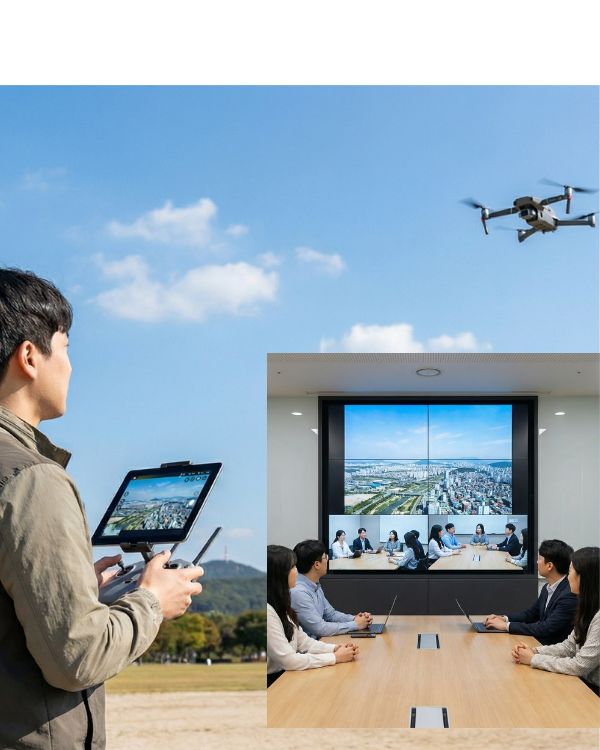
Drone operators can push live aerial footage directly to the MCU meeting room via their flight control tablet or smartphone. Commanders see both the aerial view and ground-level reports within the same composite display — ideal for disaster response, infrastructure inspection, construction site monitoring, and search-and-rescue operations.
Rich Meeting Features
All PlatformsMore than meetings — a command center.
Four meeting room types (fixed / scheduled / personal / dynamic), host controls (mute / kick / invite), screen sharing, meeting recording (with access control), scrolling marquee announcements, scheduled meetings with automatic notifications, instant messaging, and address book speed dial. Covers every scenario from daily meetings to emergency command operations.
AI Live Chinese–English Translation
Advanced ApplicationCaptions + voice, fully on-premises.
Speech recognition, translation and speech synthesis run on the same server as the MCU. Bilingual captions appear about one second after a sentence ends, and translated voice plays with the original audio ducked. Custom glossaries are supported, with no cloud service required.
Real-Time Radio Translation
Advanced ApplicationTurn an off-the-shelf radio into an interpreter.
A handheld radio connects to the MCU through a USB interface. About 1.5 seconds after a Chinese transmission, the English translation is transmitted on the same channel, and radio traffic can join the command-center video conference. Turn-taking follows “Over” voice procedure.
Want to see Ze Yu MCU's 1080p / 60fps video quality for yourself?
Book a 30-Minute Live DemoWe will showcase the full feature set and performance in a real-world environment.
Advanced Application: Live UAV Video Feed Integration
Ze Yu MCU supports more than just traditional video conferencing devices — it can stream live aerial footage from unmanned aerial vehicles (UAVs) directly into the meeting room, serving as a critical "eye in the sky" for situational assessment, on-site inspection, and remote command operations.
Drone operators simply push the UAV camera feed as a video stream to the MCU via their flight control tablet or smartphone, enabling all meeting participants to simultaneously view live aerial footage and make real-time decisions supported by voice communication. The UAV feed is displayed alongside other participants' video feeds within the same composite screen, allowing commanders to see both "what is happening in the air" and "what is being reported on the ground" in a single view.
UAV × MCU Use Cases
When the UAV's "aerial perspective" meets the MCU's "multi-party collaboration," the following scenarios experience revolutionary efficiency gains:
Command Operations
& Disaster Response
During major disasters such as typhoons, earthquakes, or floods, command centers can deploy UAVs to capture real-time aerial views of affected areas, with footage streamed directly into the MCU meeting room. Leaders from multiple agencies (fire, police, military, civil affairs) can simultaneously view live aerial imagery while conducting cross-agency coordination — dramatically reducing response time.
Infrastructure Inspection
Bridges, high-voltage transmission towers, wind turbines, solar farms, and large building rooftops — facilities that previously required personnel to climb at significant risk. Now, UAVs equipped with high-resolution cameras perform inspections, streaming live footage back to the MCU meeting room. Engineering teams can remotely assess structural conditions and flag anomalies from the safety of their office — safe and efficient.
Construction Monitoring
& Progress Audits
For large construction sites, science park developments, and public works projects, owners or supervisors can periodically deploy UAVs to capture aerial footage of the site, streamed live into the MCU meeting room. They can then video conference with contractors, designers, and government auditors to compare blueprints against actual progress — completing progress reviews without the need for on-site visits.
Beyond these core scenarios, UAV integration with MCU is also widely applicable to:
- Border Patrol / Maritime Surveillance: Coast guard or defense units deploy UAVs to patrol borders and maritime zones, streaming live footage to the command center meeting room for multi-agency joint assessment
- Search and Rescue: During mountain or maritime rescue operations, UAVs equipped with thermal imaging cameras search for missing persons while rescue commanders and field teams share aerial perspectives in real time via the MCU meeting
- Environmental Monitoring: For river pollution, forest fires, or illegal waste dumping incidents, environmental agencies deploy UAVs to gather evidence and stream footage back to the meeting room for joint assessment and action planning
- Large Event Security: For concerts, national celebrations, and international sporting events, security command centers use UAVs to monitor crowd dynamics from above, combining aerial feeds with checkpoint video reports for unified coordination
- Precision Agriculture: For large-scale farms, tea plantations, and orchards, UAVs monitor crop growth and detect pest infestations, allowing agricultural experts to conduct remote diagnoses via live UAV feeds from the office
Advanced Application: AI Live Chinese–English TranslationNEW
International meetings, joint exercises, foreign-delegation briefings — language is often the last barrier. Ze Yu MCU includes AI live Chinese–English translation: when participant A speaks Chinese, participant B instantly sees English captions and hears English speech; when B replies in English, A sees and hears Chinese.
The key difference from cloud meeting services: speech recognition, translation and speech synthesis all run on the MCU server itself. Meeting audio and text never leave the customer's facility, and the feature works even on fully air-gapped networks.
Live Bilingual Captions
Captions appear as people speak, and the full original and translation are shown as soon as they finish. Each participant sees their own interface language.
Translated Voice
Turn on “Voice” with one click and the translation is spoken automatically. The original audio is ducked while it plays and restored afterwards.
Custom Terminology
Build domain glossaries for defense, finance or semiconductor terms and call signs so they are always translated consistently. Changes take effect immediately.
Fully On-Premises AI
All three AI engines run alongside the MCU with no calls to any cloud API. AI translation requires a GPU; an NVIDIA RTX 3090-class card is recommended.
Advanced Application: Real-Time Radio TranslationNEW
In joint exercises with allied forces, language on the radio net is a common obstacle. Ze Yu MCU turns an off-the-shelf handheld radio, connected through a USB radio interface, into an on-premises interpreter: our side speaks Chinese, and the system recognizes, translates and automatically transmits the English speech on the same channel for allied radios to hear.
Radio traffic also appears as captions and translated voice in the command-center video conference, and English instructions from the meeting room can be translated into Chinese and transmitted over the radio — connecting the radio net at the front with the video conference at headquarters.
Same-Channel
Translation
Speak Chinese and end with “over” (完畢); about 1.5 seconds later the English translation is transmitted on the same channel. The system waits for a clear channel to avoid doubling.
Radio into the
Command Center
The radio joins the meeting as a full participant: the room hears it live with bilingual captions, and English from the meeting or from ATAK chat is translated into Chinese and transmitted once the channel is clear.
Built for
Tactical Voice
Turn-taking follows radio voice procedure (Over / 完畢); recognition is tuned for narrow-band radio audio; transmissions are time-limited and PTT is released automatically on any fault.
Cloud Meetings Translate Too — Why On-Premises?
Microsoft Teams, Google Meet and Zoom all offer meeting translation. The difference is where your voice data goes and what equipment can connect:
| Comparison | Ze Yu MCU | Microsoft Teams | Google Meet | Zoom |
|---|---|---|---|---|
| Where speech & translation are processed | Customer's own facility | Microsoft cloud | Google cloud | Zoom cloud |
| Offline / air-gapped networks | ✓ Fully offline | ✗ Not available | ✗ Not available | ✗ Not available |
| Chinese ↔ English | ✓ Supported | ✓ Supported | Chinese not in GA | ✓ Supported |
| Radios / legacy video endpoints | ✓ Radio, H.323, SIP | ✗ Not supported | ✗ Not supported | ✗ Not supported |
| Terminology / voice procedure | Custom glossary, “Over” turn-taking | General meetings | General meetings | General meetings |
| Pricing | One-time deployment, no subscription | Copilot license (~US$30/user/month) | AI Pro / Ultra subscription | Plan-dependent |
| Translated voice | Standard synthetic voice | Can simulate speaker's voice | Preserves speaker's tone | Synthetic voice |
Cloud product information is based on vendors' public materials as of September 2026; features and prices are subject to vendor announcements.
Advanced Application: TAK Tactical Map IntegrationNEW
Agencies in many countries use TAK (ATAK / WinTAK) as their common operating picture. Ze Yu MCU joins as a standard TAK account — no TAK Server changes, no plugins — to bring the TAK map and UAV video into the meeting room, provide two-way Chinese–English translation between the meeting and ATAK chat, and make handheld radios full meeting participants.